OpenRGB 1.0 Revolutionizes RGB Control with Cross-Platform Compatibility and Enhanced Features
September 13, 2026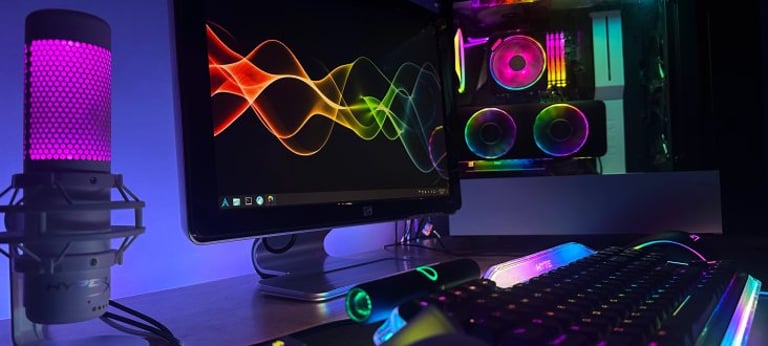


OpenRGB 1.0, released in mid-September, unifies cross-brand RGB control across motherboard, RAM, GPU, keyboards and other peripherals, replacing multiple proprietary programs with a single cross-platform app for Windows, Linux, and macOS.
The 1.0 release introduces a revamped profile system and the option to run OpenRGB as a background service, enabling continuous RGB control without keeping the UI open.
Built upon a major modernization, the codebase moved from Qt5 to Qt6 and adds PawnIO support for low-level hardware access to RGB memory and older motherboards.
OpenRGB 1.0 expands device compatibility and includes extensive internal software changes, with the promise of compatible plugins following the main launch.
New features and improvements include an overhauled profile system, background service mode, PawnIO, and Qt6 support.
The SDK is at version 6 and the Plugin API at version 5, meaning plugins will require updates to stay compatible with 1.0.
There is a built-in set of effect modes, with an Effects plugin offering additional dynamic patterns that users can install via OpenRGB’s in-app manager.
The 1.0 release candidate highlighted enhancements such as automatic Corsair DRAM detection, new QMK keyboard support, improved Logitech HID++ 2.0 compatibility, and broader GPU and hardware coverage.
Step-by-step guidance covers building and saving synced profiles for easy switching, and introduces an SDK server with a Python example that reacts to system load for CPU-aware lighting.
OpenRGB documents supported devices via an online wiki, notes that unlisted devices may work but are untested, and explains Windows requirements like running as administrator or a background service for full RAM access via PawnIO.
A practical setup guide covers disabling vendor RGB software, enabling BIOS SMBus access, and installing OpenRGB, with Linux users configuring i2c-dev, i2c-piix4 modules and udev rules before scanning devices.
Guidance emphasizes planning multi-zone layouts, avoiding wiring and detection pitfalls, and confirming devices are fully or partially supported during setup.
Summary based on 4 sources
Get a daily email with more Tech stories
Sources
![Sync RGB Across Brands: OpenRGB 1.0 Setup [2026]](https://cdn.brief.news/cdn-cgi/image/fit=contain,width=160/images/links/fc68a58a5489c4899da29563853b299b74d501064b193a0927272c035d80c82c7e84d430f4a33c5354af31b68c7d9fea567080d4e64faff74ba7e2092db0238b.png)
Tech Insider • Sep 13, 2026
Sync RGB Across Brands: OpenRGB 1.0 Setup [2026]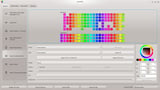
GamingOnLinux • Sep 14, 2026
OpenRGB 1.0 released to help you control all your fancy gamer lights
OpenRGB • Sep 13, 2026
OpenRGB
KitGuru • Sep 14, 2026
OpenRGB reaches 1.0 release with expanded hardware support | KitGuru