Raspberry Pi Imager 2.0 Unveiled: Streamlined UI, Enhanced Customization, and Improved Accessibility Features
November 24, 2025

Before flashing, users can tailor OS personalization options such as hostname, time zone, and keyboard layout, with an option to skip customization.
Raspberry Pi Imager 2.0 arrives with a complete UI reimagining, a redesigned wizard, and a refreshed interface that prioritizes accessibility and a less cluttered, spacious design, especially for headless setups.
The guide explains how to access and use the new tool’s CLI help output, including cloud-init, verification settings, and other options.
New features include local repository file support, a refreshed color scheme, improved keyboard navigation, and an openUrl method for external URL handling.
A pre-write summary of changes appears before flashing, acting as a guardrail for users.
Windows installer updates and a separate Embedded/ARM64 variant are introduced for specialized use cases.
A new pre-write stage enables configuration of user accounts, Wi-Fi, locale, and headless access for immediate network availability after first boot.
The release refactors dependencies, improves drive management and error handling, adds a Reset button, native file dialogs, and broader language support.
Bug fixes from prior versions are included; release notes are on GitHub, and the AppImage runs with root privileges.
Extensive beta testing, translations, and community collaboration, including interns and beta testers, supported the launch.
Raspberry Pi Connect pre-configuration is supported to streamline setup.
UI clutter is addressed by moving OS customization into a main, six-stage step-by-step wizard within the primary interface.
Summary based on 6 sources
Get a daily email with more Startups stories
Sources
How-To Geek • Nov 24, 2025
Raspberry Pi Imager just got a big update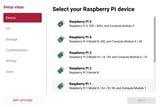

OMG! Ubuntu! • Nov 24, 2025
Raspberry Pi Imager 2.0 Released with New Design
Raspberry Pi • Nov 24, 2025
A new Raspberry Pi Imager