Google AI Studio Launches Build Mode: Create and Deploy Apps with Simple Prompts
June 28, 2026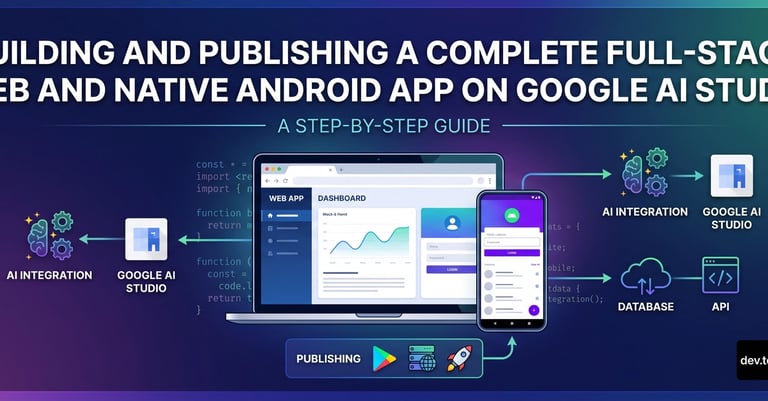

For Android, Build mode outputs production-quality Kotlin with Jetpack Compose, plus an in-browser Android emulator, ADB install, and direct Play Store publishing.
For web apps, it delivers a React frontend and Node.js backend, optional Firebase Firestore and Authentication, and one-click deployment to Google Cloud Run.
Tips for better results include being specific in prompts, using a blueprint, iterating in small steps, reviewing generated code, and exporting to Antigravity for larger projects.
Prerequisites are a Google account and a web browser; publishing Android requires a Google Play Developer account, with no local setup needed.
A project example is a Task Manager with user authentication, task persistence, and AI-powered prioritization suggestions using Gemini.
Generated code is visible in the Code tab and API keys are kept server-side by default for security.
Antigravity Agent handles backend configuration, Firebase setup, and CI/CD-like steps to reduce traditional development toil.
Google AI Studio Build mode lets you turn natural-language prompts into deployable web and Android apps right in the browser, with one-click deployment to Google Cloud.
Current limitations include the web stack defaulting to React/Node.js, Android auth via Firebase may not be supported yet, a free deployment quota, and ongoing migration notes and future paths (Workspace integration, Gemini API upgrades, Antigravity, migration to Android Studio).
Deployment specifics: web apps deploy to Google Cloud Run with a public URL, while Android apps can be published to the Google Play Internal Test Track.
Step-by-step workflow: open Build mode, craft a detailed prompt, review the blueprint, generate code, enable Firebase for auth and database, preview and iterate, deploy the web app, and publish the Android app to the Play Store.
Summary based on 1 source
Get a daily email with more Tech stories
Source

DEV Community • Jun 28, 2026
Building and Publishing a Complete Full-Stack Web and Native Android App on Google AI Studio